
01
AI ASSISTANCE
You lead. MAiT assists.
Bring your ideas and ask MAiT for help exploring them. You choose the direction, shape the results, and decide what makes the track.
MAiTRAX is the first full AI-native DAW built to assist, not replace, the creator. Record, compose, arrange, mix, and master with MAiT by your side. Your ideas lead. You shape the sound. Every creative decision stays yours.
Be first to know when MAiTRAX V1 launches.
Built by music makers.
Multi-platinum experience, reimagined for the web.
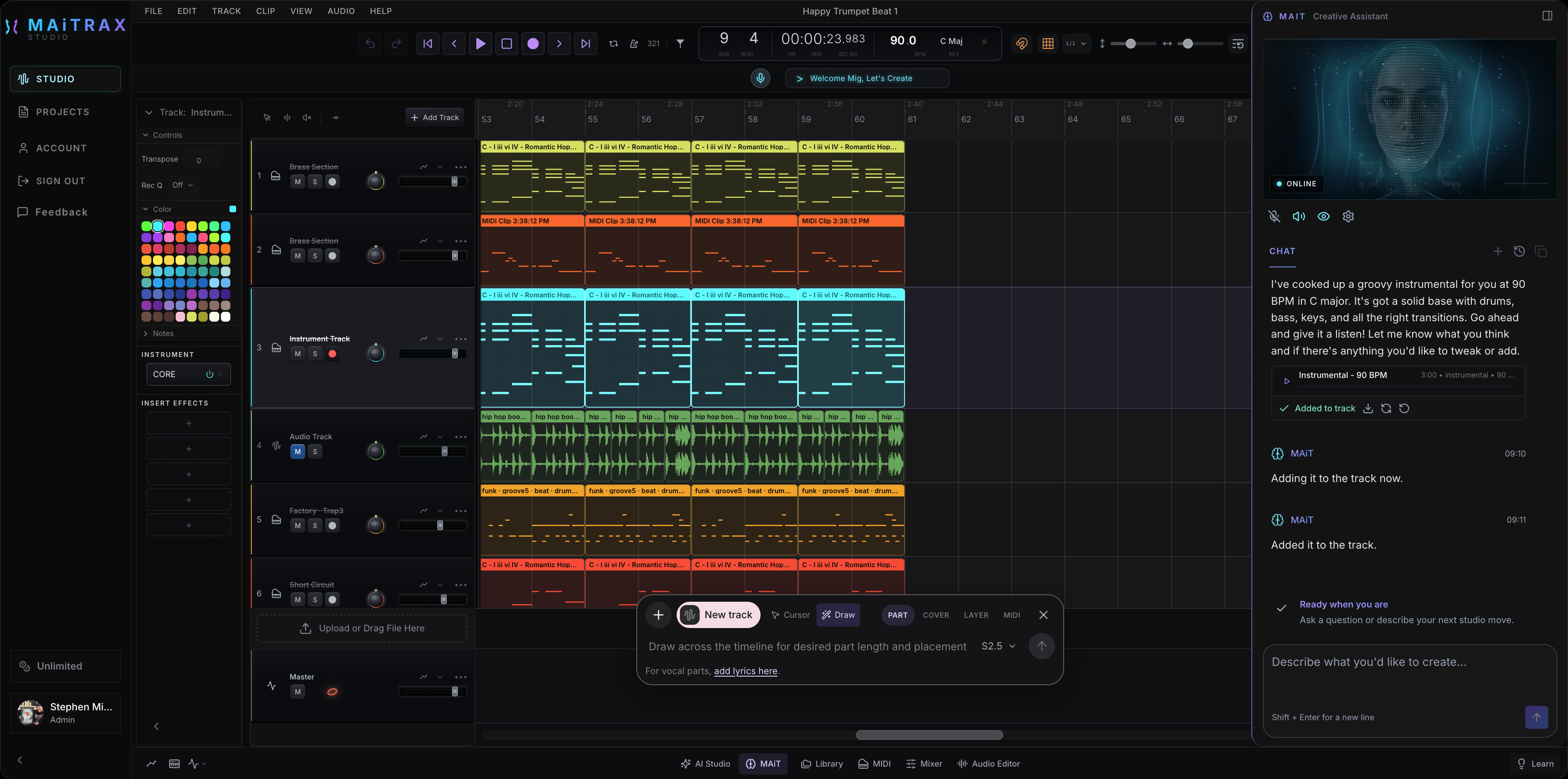
EVERYTHING IN FLOW
Start with your performance, a melody, or a beat. Build it with hands-on recording, editing, and mixing tools. Bring in AI assistance wherever it helps your process.
AI ASSISTANCE
Bring your ideas and ask MAiT for help exploring them. You choose the direction, shape the results, and decide what makes the track.
SOURCE SEPARATION
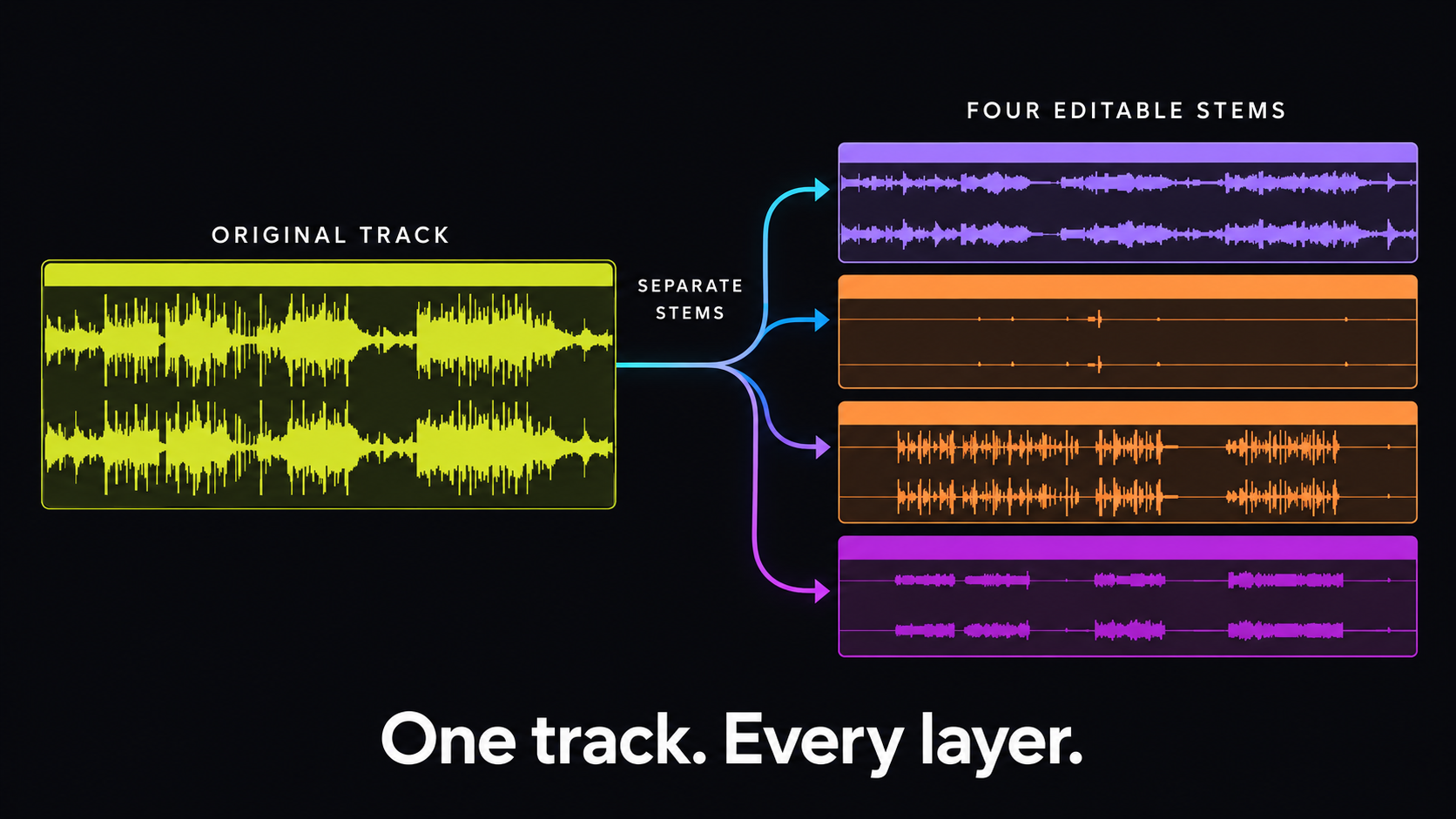
Pull vocals, drums, bass, and instruments from a track—then edit every layer directly in your timeline.
WAVDRAW™
Choose a region and use AI to explore a new sound or variation. Edit the result to fit the track you hear in your head.
MIDIDRAW™
Shape melodies, chords, and drums with AI assistance when you want it. Refine every note, rhythm, and velocity yourself.
YOUR VISION LEADS
Ask MAiT for a musical starting point or a fresh variation when you need one. Choose what fits, edit it in your session, and keep shaping the track around your vision.
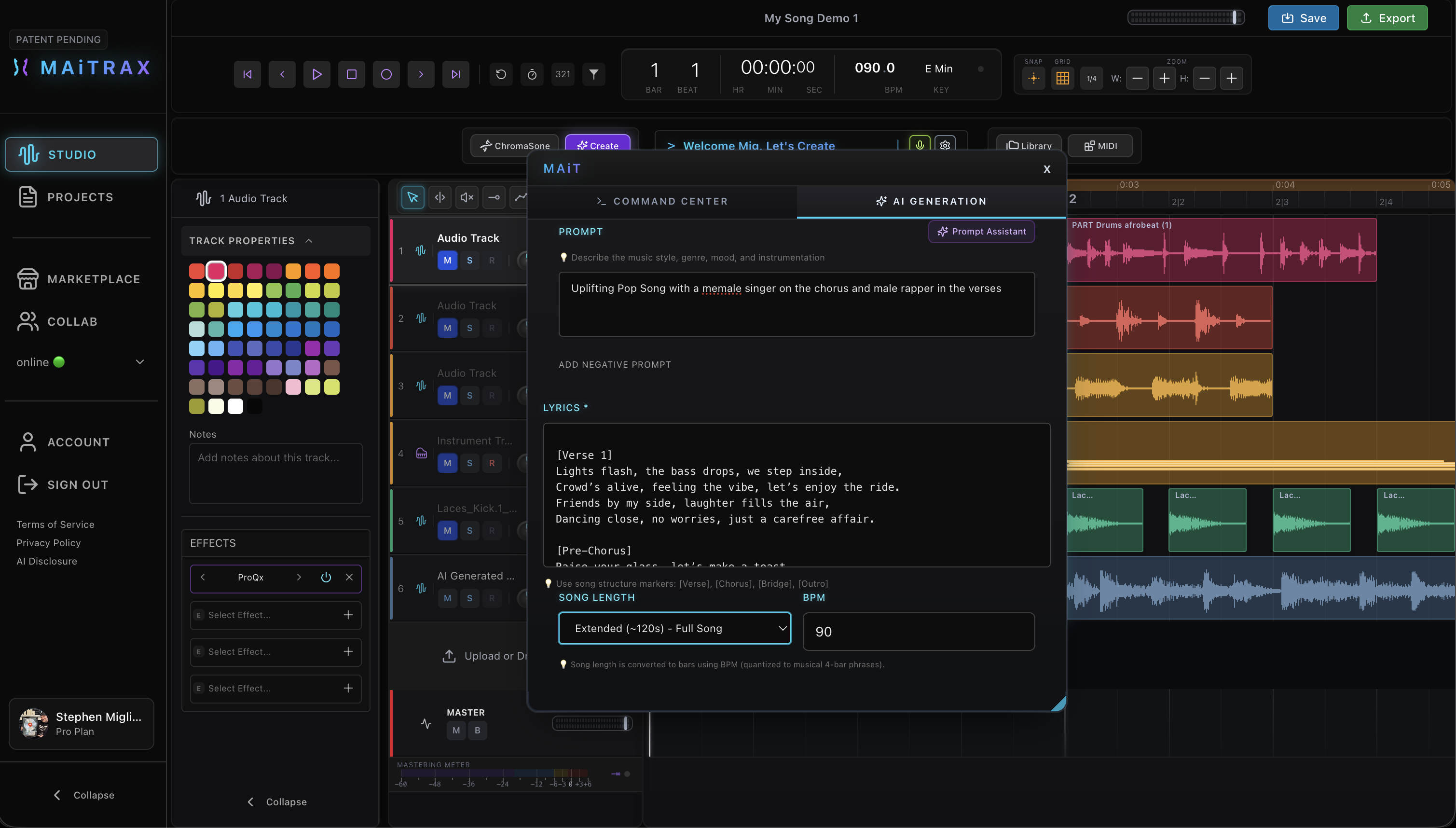 AI ASSISTED
HEAR EVERY LAYER
Isolate the parts you want to work with, reshape a region with WAVdraw™, and arrange the layers into something that reflects your sound.
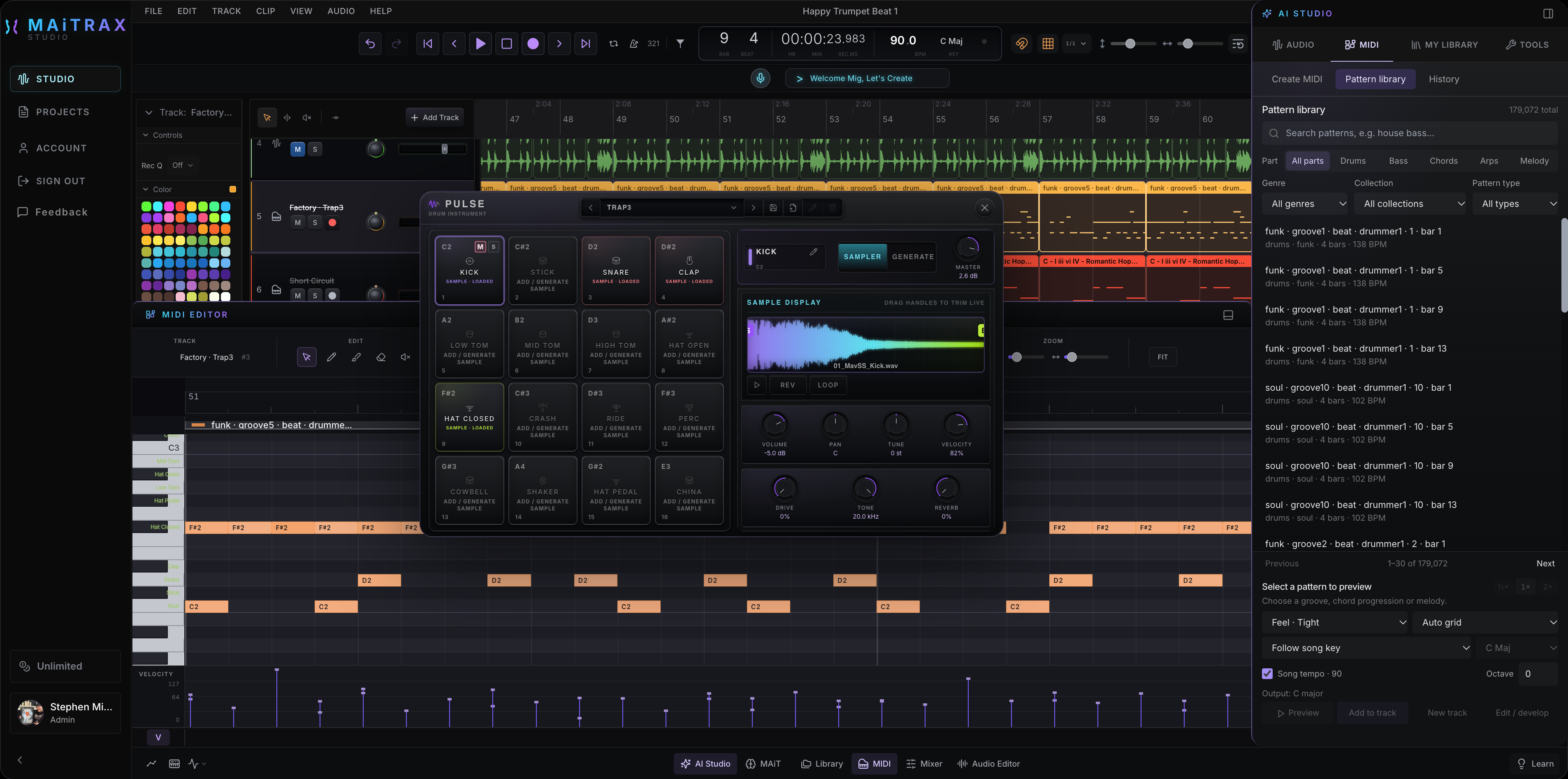
PULSE · PIANO ROLL · MIDI PATTERNS
Build your kit in the Pulse drum sampler, explore the MIDI pattern library, and shape every note and velocity in the piano roll.
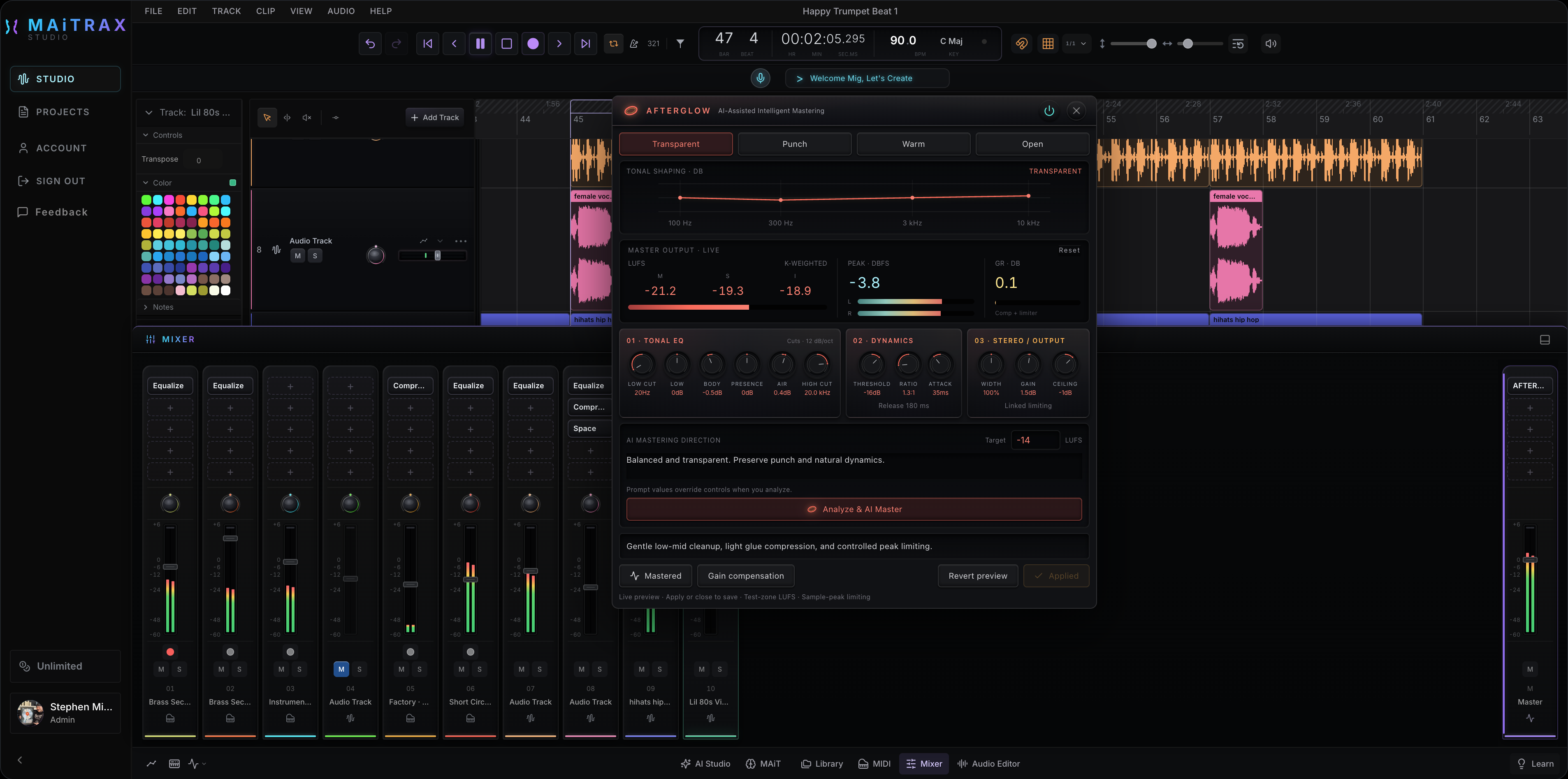
MIXER · AFTERGLOW MASTERING
Set the balance, shape the tone, and make the mix feel right to you. Afterglow offers AI-assisted mastering to help with the finishing touches, with controls to refine the sound.
WORMHOLE · OUR VST BRIDGE
Bring your signature sound with you. Wormhole connects the VST3 instruments and effects installed on your computer to MAiTRAX. Play the synths you know, shape tracks with your go-to effects, and keep creating in your browser.
Your plugins run locally, with their original interfaces. Requires the Wormhole desktop companion and compatible VST3 plugins. Development preview · Public installers coming soon.
ONE CREATIVE SYSTEM
PLANNED CREATOR MEMBERSHIP
A complete studio for your recording, composing, and mixing workflow, with cloud access and monthly credits for AI assistance when you choose to use it.
Everything you need to finish the record.
Planned launch pricing · Membership opens at launch
BUILT FROM REAL STUDIO EXPERIENCE
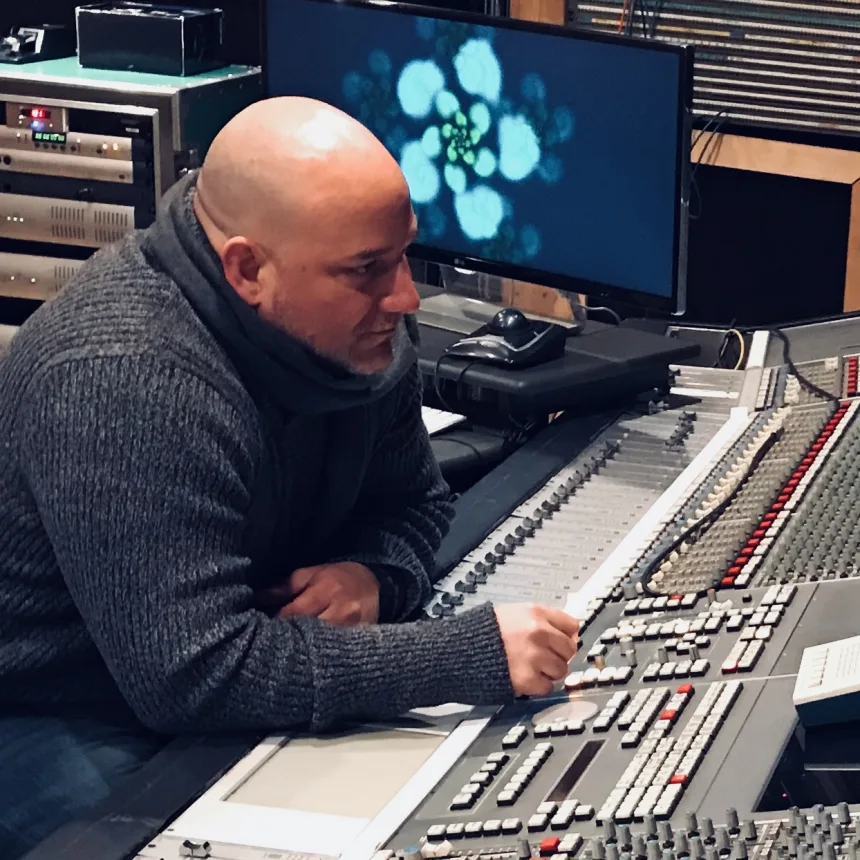
“I created MAiTRAX to make music production accessible, powerful, and enjoyable for everyone—whether you’re creating your first song or finishing your next record.”
MAiTRAX was founded by multi-platinum producer Stephen “Mr. Mig” Migliore alongside musicians, engineers, and technologists who know where the traditional workflow gets in the way. We build for the artist and producer making the decisions, with AI tools that support their craft and creative direction.
Meet the teamV1 is coming soon. Join the launch waitlist to hear when public access opens. Approved beta testers can continue signing in through the Beta login link at the bottom of this page.
MAiTRAX and its built-in tools run in your browser. For the full studio experience, use a desktop or laptop with Google Chrome or a Chromium-based browser. Using your own VST3 plugins requires the separate Wormhole desktop companion.
Wormhole, our VST bridge, connects compatible VST3 instruments and effects installed on your computer to your MAiTRAX tracks, with their original plugin interfaces. Keep the Wormhole companion running while you work. Wormhole is in development preview; public installers are coming soon. VST2, AU, and AAX are not supported in this first build.
Yes. Your recordings, samples, and MIDI can be the foundation of your session. Import your material, record new parts, and arrange and mix your track. Use AI assistance whenever it serves your ideas.
No. Record, compose, edit, arrange, and mix with the studio tools yourself. MAiT and the AI tools are there when you want help exploring an idea or refining a part. You decide when to use them and what to keep.
Studio Credits are used for AI generation and processing. Credit usage depends on the tool and the request. The planned Creator membership includes a monthly credit allowance.
Visit our support page for questions about your account, projects, billing, or the studio.
A studio built around your craft, with AI assistance on your terms. Join the launch waitlist to hear when MAiTRAX V1 is ready.
 Wormhole